
UNIX systems (including Linux) are well-known to record a lot of activities in many different locations. But there is one domain where they definitely lack of "modern" logging: shells. Most shells provide an historization of the typed commands through a flat file in the $HOME directory (ex: $HOME/.bash_history). They suffer of multiple problems:
- History is stored in memory and the file is updated when the shell exits
- The order of commands is not reliable
- There is no timestamps (by default)
- The size of history can be limited (see $HISTFILESIZE)
- Can be removed/tampered by the user
Note that if you use sudo to switch to another user (usually root), events are sent to the classic logging mechanism (syslog or journal):
Aug 05 15:30:48 lab0 sudo[211956]: xavier : TTY=pts/1 ; PWD=/tmp ; USER=root ; COMMAND=/usr/bin/whoami
To search across the history, the shell user can use the “reverse-i-search” feature available in Bash (but also other shells). This is the built-in incremental search through your command history, bound to CTRL-R. You hit it, start typing part of a command you ran before, and bash walks backwards through history showing the most recent match as you type — hence "reverse" (newest-first) and "i" for incremental (it updates on every keystroke).
xavier@lab0:~$
(reverse-i-search)`grep': dpkg -l | grep curl
It’s nice but, again, limited!
There are tools that expand the power of reverse-i-search and the shell history by storing everything into a database. One that became popular is called “Atuin”[1].
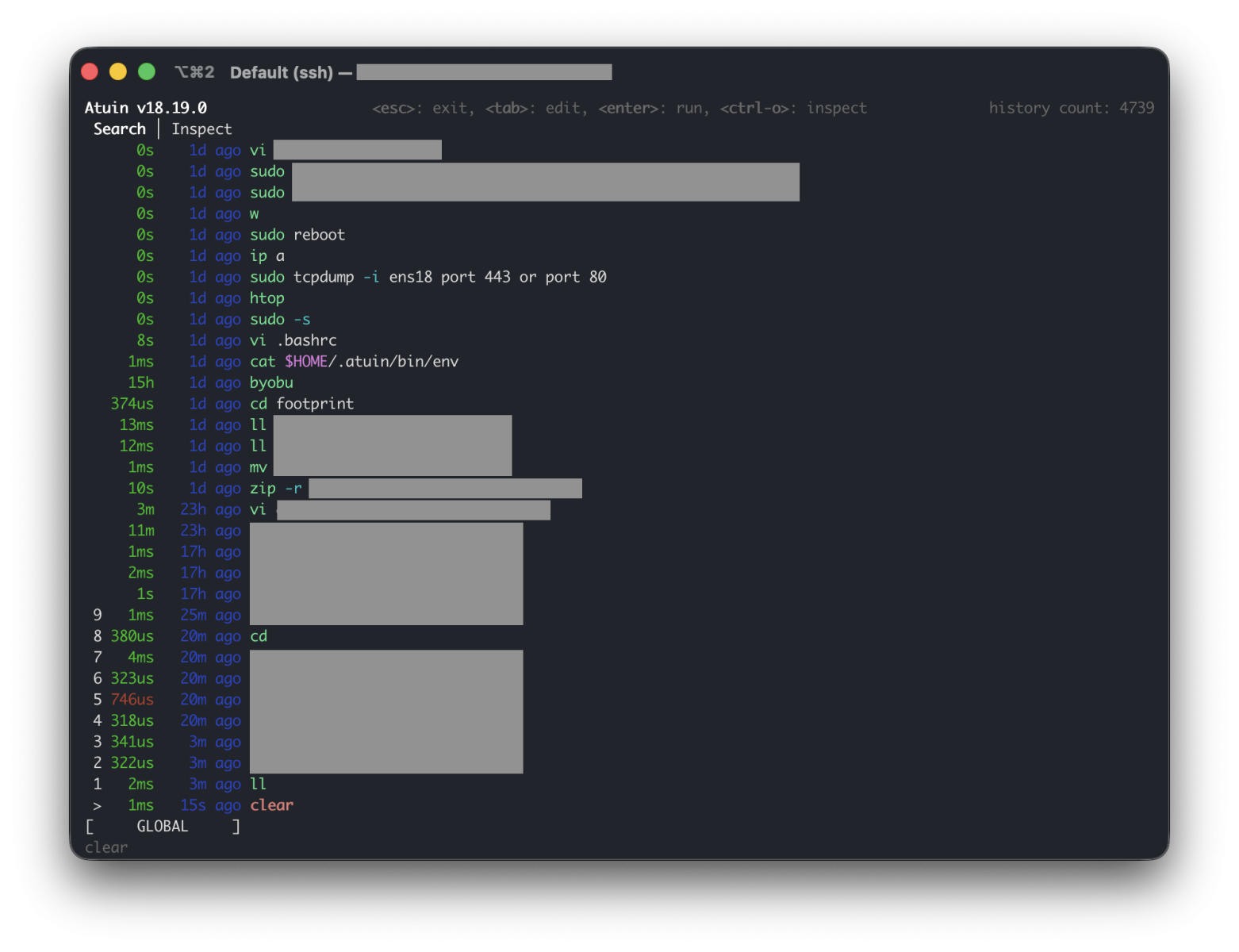
It enhances your shell history with a SQLite database, and records extra context for every command:
- The directory it ran in,
- how long it took,
- whether it succeeded,
- which machine and session it came from.
Even better, it can also sync your history across all of your machines, end-to-end encrypted. The official Atuin server can be used but, of course, it’s possible to deploy your own server (that's what I do in my infrastructure). From a forensic point of view, this tool is both a gift and a trap for the investigator. If you don’t know that Atuin is used, you’ll maybe loose lot of evidences. But if you spot it, it’s for sure a win!
First step to check: Where the artifacts live?
Atuin follows XDG paths[2], so check every user's home directory plus root (per-user install):
| File | Purpose |
|---|---|
| ~/.local/share/atuin/history.db | Primary evidence (SQLite) |
| ~/.local/share/atuin/history.db-wal | Uncommitted records (DO NOT MISS) |
| ~/.local/share/atuin/history.db-shm | |
| ~/.local/share/atuin/key | E2E sync encryption key |
| ~/.local/share/atuin/session | Server session token (API bearer) |
| ~/.config/atuin/config.toml | Config: sync target, filters, custom paths |
Do not assume the default location. The config location can be overridden with $ATUIN_CONFIG_DIR, and the database, key, and session paths are all individually configurable in config.toml. It's recommended to read the config first.
Atuin must be enable at shell level (for every shell, every user). Search for proof-of-activation in the shell RC files:
xavier@lab0:~$ grep atuin $HOME/.bashrc
. "$HOME/.atuin/bin/env"
eval "$(atuin init bash)"
Second step: Build your timeline
Forensicators love timelines! The main DB table is called “history”:
xavier@lab0:~$ sqlite3 history.db
SQLite version 3.46.1 2024-08-13 09:16:08
Enter ".help" for usage hints.
sqlite> .schema history
CREATE TABLE history (
        id text primary key,
        timestamp integer not null,
        duration integer not null,
        exit integer not null,
        command text not null,
        cwd text not null,
        session text not null,
        hostname text not null, deleted_at integer, author text, intent text, shell text,
        unique(timestamp, cwd, command)
);
CREATE INDEX idx_history_timestamp on history(timestamp);
CREATE INDEX idx_history_command_timestamp on history(
        command,
        timestamp
);
CREATE INDEX idx_history_active_timestamp on history(timestamp)
where deleted_at is null;
CREATE INDEX idx_history_session_timestamp on history(session, timestamp)
where deleted_at is null;
CREATE INDEX idx_history_cwd_timestamp on history(cwd, timestamp)
where deleted_at is null;
CREATE INDEX idx_history_hostname_timestamp on history(lower(hostname), timestamp)
where deleted_at is null;
sqlite>
The id is a client-generated identifier used for syncing, and deleted_at is a soft-delete marker.
Compared to .bash_history this gives you, per command:
- a UTC timestamp (nanoseconds since epoch — divide by 1e9),
- the working directory,
- the exit code,
- execution duration,
- a session ID,
- the hostname
Triage query, read-only:
xavier@lab0:~$ sqlite3 "file:history.db?mode=ro&immutable=1" \
  "SELECT datetime(timestamp/1000000000,'unixepoch') AS utc,
          hostname, session, cwd, exit, command
   FROM history ORDER BY timestamp;" | grep lab0 | head -5
2026-08-05 16:21:05|lab0:xavier|019fd2ba42c7779284d508825c4b2bd4|/home/xavier|0|vi .bashrc
2026-08-05 16:21:16|lab0:xavier|019fd2ba42c7779284d508825c4b2bd4|/home/xavier|0|cat $HOME/.atuin/bin/env
2026-08-05 16:22:53|lab0:xavier|019fd2bc13b174c094100175e489ade5|/home/xavier|0|byobu
2026-08-05 16:22:58|lab0:xavier|019fd2bc264c799196071edfbfe9d452|/home/xavier|0|ll
2026-08-05 16:23:11|lab0:xavier|019fd2bc264c799196071edfbfe9d452|/home/xavier|0|cd footprint
Interesting tips to keep in mind during investigations:
- "session" lets you reconstruct individual terminal sessions: Use "group by" to rebuild what an operator did in one window, in order.
- If sync is enabled, commands executed on other machines under the same account are pulled into this host's database. A row in this db is not proof the command ran on this host.
Next step, investigate deleted and residual data:
The "soft-delete" design works is a goldmine: rows deleted via Atuin are marked with "deleted_at" rather than physically purged in many cases. Try to use "WHERE deleted_at IS NOT NULL" to recover "deleted" activity. Standard SQLite carving applies: freelist/unallocated pages and the WAL can hold prior row versions and dropped records (undark, bring2lite, or manual page carving).
A good news, the standard flat history file (~/.bash_history or ~/.zsh_history) is still written alongside Atuin, so cross-reference it.
Finally, don't forget the "sync" feature:
Check the configuration file, if "auto_sync = true" and the user is logged in, history is end-to-end encrypted and pushed to a server (by default: https://api.atuin.sh). If you are authenticated and have the E2E encryption key, history may be pullable back from the server. But a self-hosted server can be used. In this case, more evidences can be found on this server but raw data will also be encrypted.
A final note: The configuration file allows to specify commands that will never be recorded:
## prevent commands matching any of these regexes from being written to history.
## Note that these regular expressions are unanchored, i.e. if they don't start
## with ^ or end with $, they'll match anywhere in the command.
## For details on the supported regular expression syntax, see
## https://docs.rs/regex/latest/regex/#syntax
# history_filter = [
#   "^secret-cmd",
#   "^innocuous-cmd .*--secret=.+",
# ]

## prevent commands run with cwd matching any of these regexes from being written
## to history. Note that these regular expressions are unanchored, i.e. if they don't
## start with ^ or end with $, they'll match anywhere in CWD.
## For details on the supported regular expression syntax, see
## https://docs.rs/regex/latest/regex/#syntax
# cwd_filter = [
#   "^/very/secret/area",
# ]
Absence of a command in the database is therefore not evidence it wasn't run. Other gaps: non-interactive shells and scripts (no init hook = no capture), and commands in a sh session without the hook.
[1] https://docs.atuin.sh/latest/
[2] https://specifications.freedesktop.org/basedir/latest/
Xavier Mertens (@xme)
Senior ISC Handler | SANS Principal Instructor | Freelance Consultant
Xameco | PGP Key